Do you need to map every process before implementing new practice management software?
For many accountancy and bookkeeping firms, the answer is no. The immediate priority is to bring all of their clients, deadlines and recurring work together into one place, with a clear view of what needs doing and who is responsible.
Detailed workflow mapping can be valuable, but it takes time. Agreeing responsibilities, documenting handovers and planning for different scenarios can become a substantial project alongside an already full workload.
Checklists offer a practical alternative for many routine processes. They help firms establish consistent ways of working quickly, then add detail where it proves useful. You can introduce them during implementation or once the essentials are running smoothly.
Workflow mapping sets out the steps involved in delivering a service, from the initial request for information through to completion. It identifies which staff, roles or teams are responsible at each stage and how tasks pass between them.
It can also cover dependencies, approval points and different routes depending on the client or circumstances. For example, who prepares the bookkeeping, who reviews it, and what happens if information is missing?
With more advanced workflow functionality, you can specify who handles each step, what must happen before it starts and which actions happen automatically.
For firms that depend on this level of coordination, the time invested in setup can save considerable manual effort later. For others, a shared checklist provides enough structure to manage the work effectively.
Both approaches can save time. The choice depends on how work moves through your firm and how much coordination you want the software to handle.
Detailed workflows can be valuable where work follows different routes, steps depend on earlier actions being completed, or allocation and handovers need to happen automatically. Setting these up takes time, but that investment can reduce ongoing administration.
Mapping the process is also useful in its own right. It helps the team agree who is responsible for each step, spot gaps or duplicated effort, and identify where work gets held up. This can improve how the firm works before any automation is introduced.
Checklists are quicker to put into use, particularly when adapting existing templates. Creating one still involves mapping the process: agreeing the key steps and their order. They suit firms that need a consistent routine, clear progress and a record of completed steps, with staff managing decisions and handovers. Two-level checklists add structure by grouping steps under headings such as Records, Preparation and Review, making longer processes easier to follow. The approaches can overlap: checklists can also sit within systems that automate recurring tasks, emails and reminders.
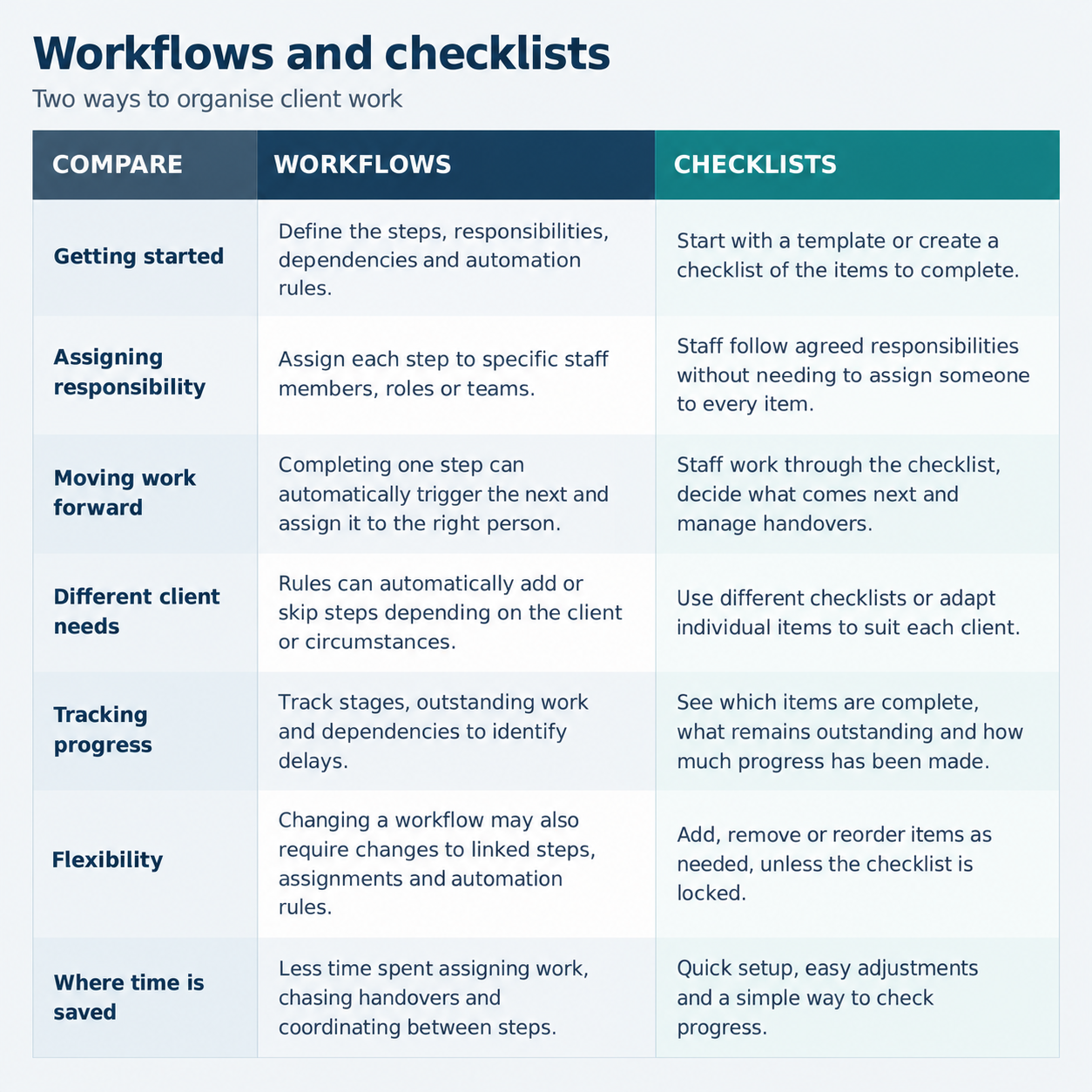
Some firms need the system to allocate work automatically and control what happens next. For example, accounts ready for review could pass automatically to the client’s designated reviewer, while missing records could trigger a follow-up task before preparation begins.
For these firms, manually managing handovers could add work. The time invested in configuring detailed workflows can pay back through less day-to-day administration.
Size alone does not determine the answer. A five-person firm can rely on highly structured workflows, while a larger practice may prefer the flexibility of checklists.
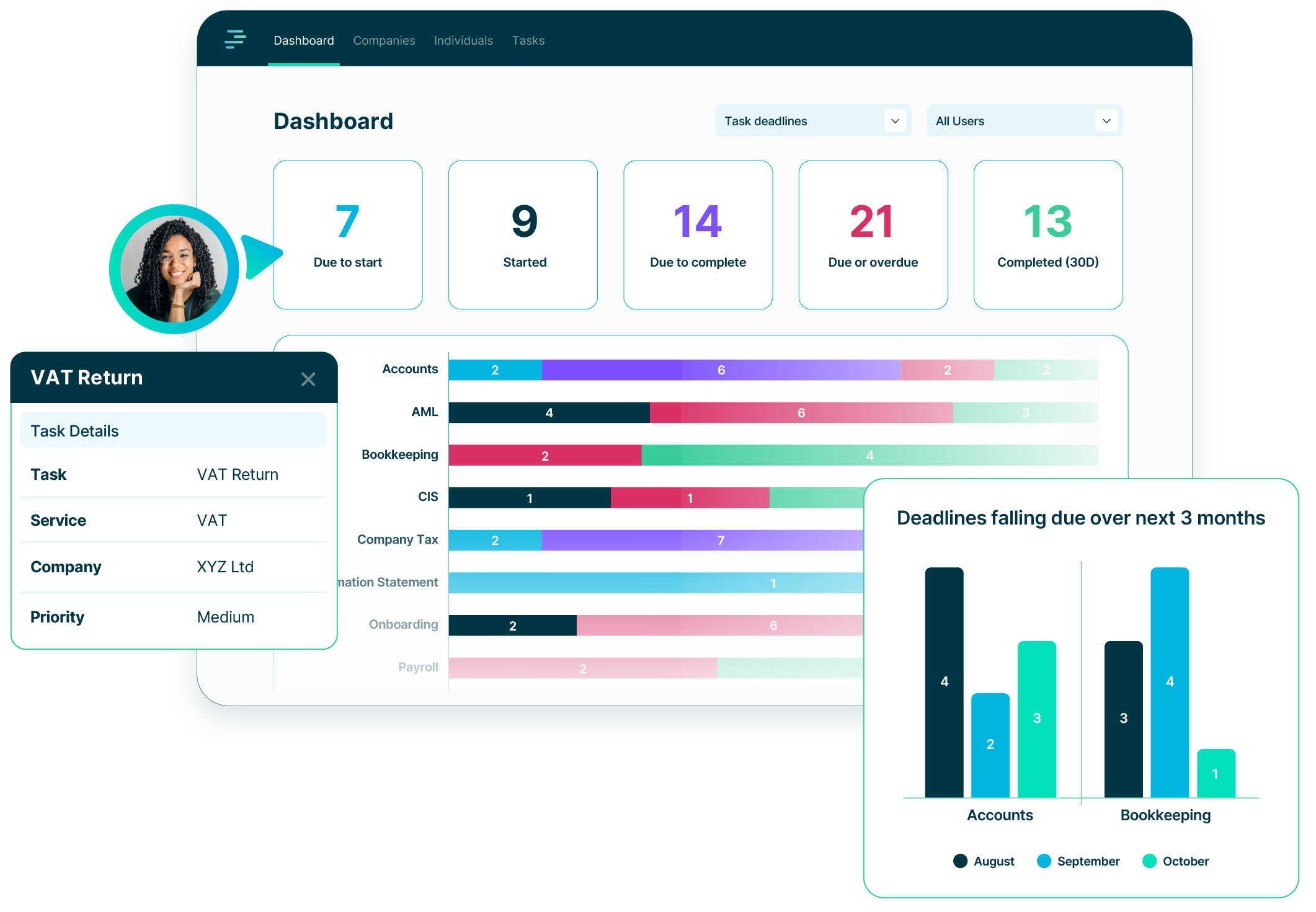
PracticeFlow focuses on clear deadlines and straightforward task management with editable checklist templates covering common accounting and bookkeeping services. The task grid shows checklist progress and the next incomplete item, helping you see where a job has reached. Within the task, completion history shows who ticked each item and when.
This information can also be extracted through the API for your own analysis. Comparing recorded milestones with expected turnaround times can help identify delays or jobs needing attention.
Client-specific checklist changes can be retained for future recurring or Smart Tasks. Checklists can also be locked to protect an agreed structure. PracticeFlow does not currently offer full workflow mapping.
PracticeFlow is designed to keep things simple. For many practices, clear deadlines, practical checklists and visibility of progress can deliver much of the benefit of a structured workflow with far less setup and ongoing administration.
See creating and using checklists in PracticeFlow for a practical walkthrough.
Join the growing number of UK accounting and bookkeeping practices using PracticeFlow to stay organised, meet deadlines, and focus on what matters most.