What exactly is practice management (PM) software?
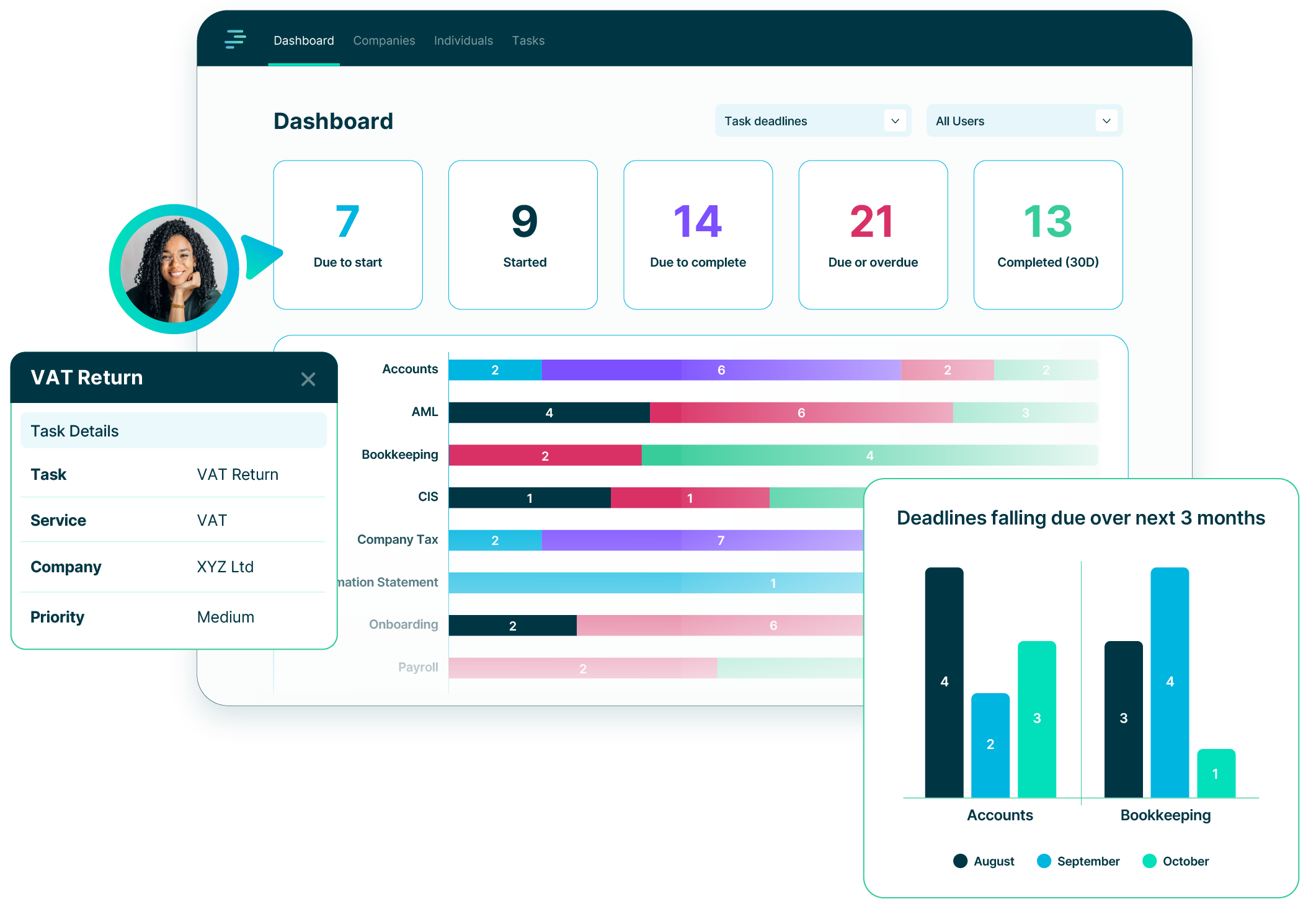
At the simplest level, any PM system needs to:
1. Hold your client details.
2. Manage your users and roles.
3. Track tasks and deadlines.
4. Show visibility of workload.
5. Provide basic reporting so you can see what is coming up.
That is the core.
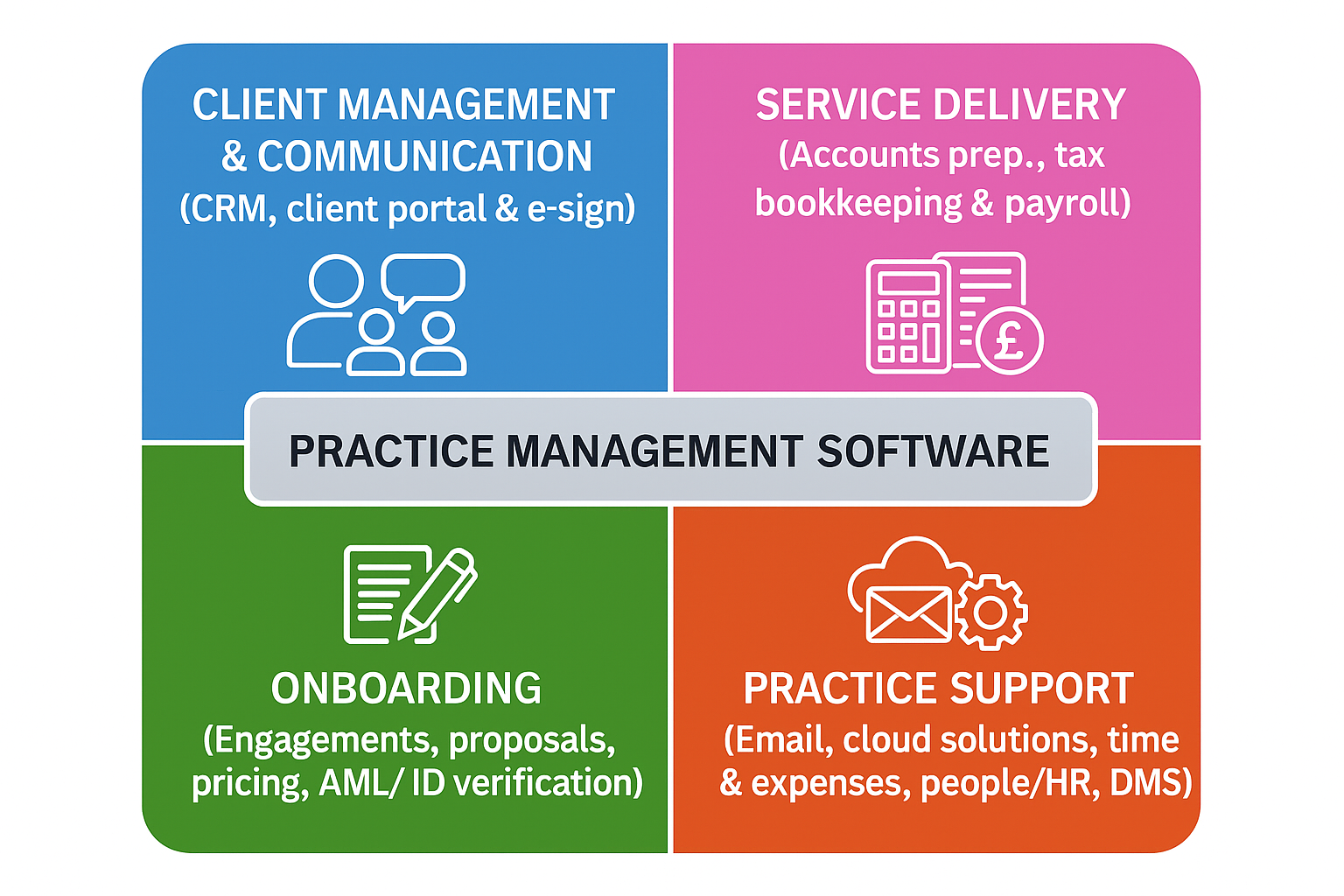
At this level, it is a lightweight operational hub that sits between the four key operational areas shown in the image.
At the other end of the scale, some PM systems try to do a lot more.
They can extend into every operational area of the practice:
Most PM systems sit somewhere in the middle. Some have grown into all-in-one platforms over many years. Others started life in the service delivery quadrant and later bolted on practice management by acquisition, with mixed results.
This is why the definition of PM software varies so widely.
What type of practice management software should you choose?
There is no single right answer.
The choice depends on:
The spectrum runs from a simple operational hub at one end to large all-in-one platforms at the other.
Can you manage without a PM system?
Yes. Many firms, especially the smaller ones, do.
But a better question is: what are the consequences of ‘just managing’?
If you are relying on a combination of spreadsheets, emails, Companies House notifications and your memory, the risks increase. Things fall through the cracks more easily.
Could a PM system make you and your practice more efficient?
Almost certainly.
You should benefit from:
A good PM system shifts your practice from reactive to proactive.
Why do some firms avoid adopting practice management software?
Common reasons include:
These concerns tend to grow when the alternative looks large, complex or disruptive.
How much setup is involved?
It varies widely:
Most firms prefer starting small and building up.
ICAEW perspective from a mid-tier tech forum in 2023
The authors noted that practice management software is often viewed less as a full suite of features and more as the central layer of a firm’s system. Individual tools can already handle most functions, such as onboarding through proposal and AML tools, time capture via dedicated systems, or billing within accounting software. What firms still need is a central hub that links these separate tools.
The article suggested that PM software can, in essence, act as a database sitting between all the other applications used to run client work. Although that description may simplify things, most firms rely on multiple systems and need a way to connect them. The consensus was that the ‘glue’ in the middle must be flexible, modular, and able to integrate with different applications without locking firms into one vendor’s ecosystem.
Where does PracticeFlow fit?
PracticeFlow sits at the simpler end of the scale:
We include additional functionality where it fits naturally:
Beyond that, we integrate with the specialist tools in the other three quadrants, with some integrations already available and more to follow soon.
What is the first step a firm could take?
If you use spreadsheets, why not start a free trial and move a small group of clients to try out the software for a few weeks.
If you already use a PM system but feel locked in, overwhelmed with the functionality or the find the service is terrible, book a demo and let’s have a chat.
What’s the best that could happen?!
Join the growing number of UK accounting and bookkeeping practices using PracticeFlow to stay organised, meet deadlines, and focus on what matters most.